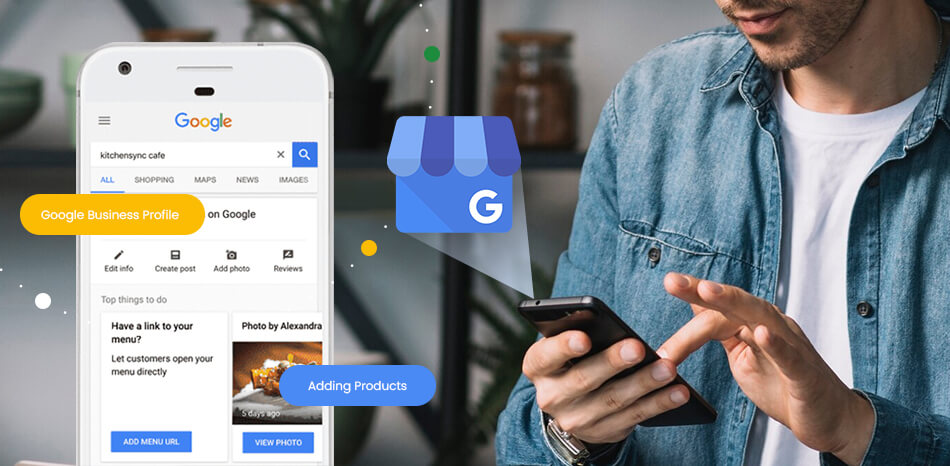
Every single time, the homeowner does the exact same thing. They pull out their phone and Google it. They are not sitting there comparing five websites. They are not reading blog posts. They are calling the first restoration company that looks legit and shows up on the map.
That map result? The Google Map Pack? That is where 68% of all clicks go for restoration searches. The company that shows up there gets the call. Everyone else fights over scraps.
So let's talk about why your Google Business Profile is probably the most important marketing asset your restoration company has. And more importantly, what you actually need to do with it in 2026 to get those emergency calls coming to you instead of your competitor down the road.
Why This Matters More Than Ever
Here is a stat that should wake you up. 57% of restoration companies say their Google Business Profile is their number one source of leads. Not their website. Not referrals. Not paid ads. A free Google listing that most owners set up once and never looked at again.
And the companies that actually optimize their profiles? They get five times more direction requests than the ones that just filled in the basics and called it a day.
But here is where it gets interesting. Google's AI Overviews now show up on most local searches. So when someone asks "who should I call for water damage in Dallas," Google's AI is literally generating an answer and recommending businesses. If your profile is thin, incomplete, or outdated, the AI has nothing to work with. It just skips you.
You are not just competing for Map Pack spots anymore. You are competing to be the business that AI recommends. And that changes what "optimization" actually means.
How Google Decides Who Shows Up
Google uses three main signals to rank local businesses: relevance, proximity, and prominence. Simple enough on the surface, but each one has layers that matter.
Relevance is whether your profile matches what the person searched for. If someone types "emergency water damage restoration near me" and your profile says "general contractor," Google does not consider you a match. Your categories, your service descriptions, your review content, all of that feeds into relevance.
Proximity is how close you are to the searcher. According to Whitespark's 2026 Local Search Ranking Factors report, this carries about 55% of the ranking weight. You obviously cannot move your office to be closer to every potential customer. But you can expand your relevance signals across your full service area through dedicated city pages on your website and accurate service area settings on your profile.
Prominence is your overall reputation and authority. Reviews, citations, backlinks, website content, profile activity. A restoration company with 200 reviews, weekly posts, and a solid website will outrank a closer competitor who has 12 reviews and a profile that has not been touched since 2023.
Now here is the 2026 addition. Google's Gemini engine, the one powering AI Overviews and the new Ask Maps feature, pulls directly from your structured profile data to decide whether to recommend you. It reads your categories, service descriptions, and attributes as individual facts. If your profile is bare bones, Gemini literally has nothing to say about you. So it says nothing.
Get Your Primary Category Right. This Is Your Biggest Lever.
I cannot stress this enough. Your primary category is the single most important ranking signal on your entire profile. The 2026 BrightLocal survey confirmed it as the number one factor influencing Map Pack rankings.
For restoration companies, your primary category should be "Restoration Service." Not "Contractor." Not "Home Improvement." Not "Water Damage Service." Your primary category acts like a filter. If it does not match the search intent, you do not even enter the candidate pool. Everything else you optimize is pointless if this is wrong.
After that, stack your secondary categories to expand your reach. Good ones for restoration include Fire Damage Restoration Service, Water Damage Restoration Service, Mold Removal Service, and Emergency Service if you run 24/7.
Quick hack: look at your top three competitors in Maps. If they all have a category you are missing, add it today.
Your Service List Is Not a Checkbox. It Is a Ranking Tool.
Most restoration companies list their services with bare names. "Water Damage." "Mold." "Fire Damage." That is like handing Google a blank sheet of paper and asking it to recommend you.
Each service entry on your profile is a separate fact that Google's AI can pull into search results. So give it something to work with. Add two to three sentences to every service covering what it involves, your response time, and what the customer can expect.
Instead of just "Water Damage Restoration," write something like: "24/7 emergency water extraction and structural drying for homes and businesses. Our IICRC-certified technicians respond within 60 minutes and work directly with your insurance company throughout the claims process."
That description does two things at once. It feeds Google the exact kind of language homeowners use when they search. And it gives potential customers enough information to trust you before they even click.
Here is what your service list should include at minimum: water damage restoration, fire and smoke damage restoration, mold remediation, storm damage repair, sewage cleanup, content cleaning and pack-out, board-up and emergency tarping, and reconstruction.
Set Your Hours to Match Your Actual Availability
This trips up more restoration companies than you would think. If your team responds to emergencies 24/7, your profile needs to say "Open 24 hours." Period.
Google factors your stated business hours into whether it shows your listing for a search at a given time. A homeowner searching "emergency water damage restoration" at midnight will not see your profile if it says you close at 6 PM. You are invisible exactly when the highest-value calls happen.
One important note though. Only list 24/7 hours if you actually answer and dispatch during those hours. Google penalizes misrepresentation, and a customer who calls at 2 AM and gets voicemail is not leaving a review you want.
Reviews Are Everything. Build a System, Not a Hope.
Let me give you some numbers. 75% of consumers read reviews before choosing a local business. 68% will not even consider a company rated below four stars. In restoration, where you are asking a homeowner to let strangers into their house during one of the worst moments of their life, trust is not optional. It is the entire game.
But here is what most people miss. The content of the review matters more than the star rating for rankings. When a customer mentions "water damage" or "mold cleanup" in their review, Google creates something called a Review Justification. It highlights that phrase and connects it directly to your business in search results. That is free, keyword-rich ranking power you cannot get any other way.
So here is how to actually build a review machine:
- Timing is everything. Ask for the review at the end of the mitigation phase, right when the immediate crisis is handled and the homeowner feels that wave of relief. Do not wait until the full project wraps weeks later. The emotional urgency is gone by then.
- Make it stupid easy. Send a text with a direct link to your Google review page. Every extra step between the ask and the review costs you completions.
- Respond to every review. Mention the service and the city naturally so your replies reinforce local ranking signals.
- Do not argue with negative reviews. Acknowledge it, offer to handle it offline, and move on professionally.
One restoration marketing company reported taking a client from under 20 reviews to over 220 five-star reviews using an automated text-based system timed to job completion. That kind of consistency is what separates companies that dominate their market from the ones wondering where all the calls went.
Post Every Week. It Does Not Need to Be Fancy.
Google rewards profiles that stay active. Profiles that go quiet for more than 30 days see measurable drops in local rankings. And restoration companies that post weekly generate 89% more calls than companies posting monthly.
You do not need a marketing department for this. Before-and-after photos from recent jobs, seasonal tips, team training updates, or local community involvement all work. Geo-tag every photo you upload. Google's Vision AI actually scans the visual content of your images and uses that as a relevance signal.
Use the call-to-action buttons on every post. "Call Now" for emergency services, "Learn More" for educational content. Consistency beats production quality every time.
Your NAP Needs to Match Everywhere. No Exceptions.
NAP is your Name, Address, and Phone Number. And it needs to be identical on every single platform where your business appears. Your Google Business Profile, your website, Yelp, HomeAdvisor, Angi, Better Business Bureau, your local Chamber of Commerce, and every IICRC directory listing.
When AI systems find inconsistent data across sources, they treat it as a red flag and push you down. This is not just about avoiding customer confusion anymore. It is about being recognized as a verified, trustworthy entity by every AI system that might recommend you.
Run an audit with a tool like Moz Local or BrightLocal. Fix everything once. Then check quarterly. It takes an afternoon and it protects months of SEO work.
Build City Pages on Your Website. Your Profile Needs Backup.
Your Google Business Profile does not work alone. It leans heavily on your website, and the pages on your site directly influence how far your Maps visibility stretches.
If your restoration company serves 15 cities but your website only has one generic "Service Areas" page, you are leaving money on the table. Each city needs its own dedicated page with real localized content, not just the same page with the city name swapped out.
A good city page naturally includes the city name in the title, headings, and body text. It references local neighborhoods, property types, or common issues specific to that area. It lists the services you offer there with descriptions. And it has its own schema markup.
Add Schema Markup to Your Website. This Is How You Talk to AI.
Schema markup is structured code you add to your website that tells search engines and AI systems exactly what your business is, where you operate, and what you do. Think of it as handing Google a perfectly organized fact sheet about your company instead of making it dig through your website and guess.
In 2026, this is not optional anymore. Restoration companies with LocalBusiness and Service schema see up to 28% higher click-through rates within 90 days. And schema markup drives three times more AI Overview appearances compared to businesses without it.
Here is what you need at minimum:
- LocalBusiness schema on your homepage with your business name, address, phone number, geo-coordinates, opening hours, and service area
- Service schema on each individual service page specifying what the service is and who provides it
- FAQPage schema on any FAQ content so your answers can be pulled into AI-generated results
Use JSON-LD format. It is the cleanest to maintain and what Google recommends. Validate everything through Google's Rich Results Test before you publish.
Track Your Results With the Free Tools Google Already Gives You
Google Business Profile Insights shows how people found your profile, how many saw it, how many called, how many requested directions, and which photos got the most views. Check this monthly.
Google Search Console shows which search queries are driving impressions and clicks to your website, which pages are working, and where technical problems are hurting you. The queries report tells you the exact words homeowners in your area are typing, which should shape everything from your service descriptions to your blog content.
The Big Picture: AI Search Is Changing the Entire Game
The biggest shift in local search right now is not a new ranking factor. It is a whole new layer of search. AI Overviews push traditional Map Pack results below the fold. On mobile, the first organic result now sits about 1,400 pixels down from the top of the screen. That is a lot of scrolling most people will never do.
So what does Google's AI actually look at when deciding who to recommend? Your profile categories and service descriptions. Your website's schema markup. Your review content and sentiment. Your NAP consistency across the internet. Every single thing we covered in this article feeds directly into whether AI search shows your business or pretends you do not exist.
The restoration companies that will own local search by the end of this year are not the ones who set up their profile in 2021 and forgot about it. They are the ones treating their Google Business Profile like a living, breathing lead generation system. Posting weekly. Collecting reviews with a real system. Keeping data consistent everywhere. Building structured content that AI can actually use.
Every week you sit on this, the gap between you and your best-optimized competitor gets wider. And when a single emergency call can be worth $3,000 to $5,000 or more, that gap is not just about visibility. It is real money walking out the door.
Bottom line
Want help getting your Google Business Profile and local SEO dialed in so emergency calls come to you first? We build websites and local search systems specifically for restoration companies. Reach out for a free audit and let's see where you stand.